
• Windows Server
  • Remote Desktop
  • Unmanaged VPS

Windows VPS HostingRDP, IIS & .NET on your server

Run Remote Desktop workloads, IIS websites and .NET applications on a licensed Windows Server VPS. Choose your CPU, memory, NVMe storage and bandwidth, then administer the server with full control after handover.
  • Windows Server licence included
  • Full RDP + administrator access
  • Complimentary daily full-image backup
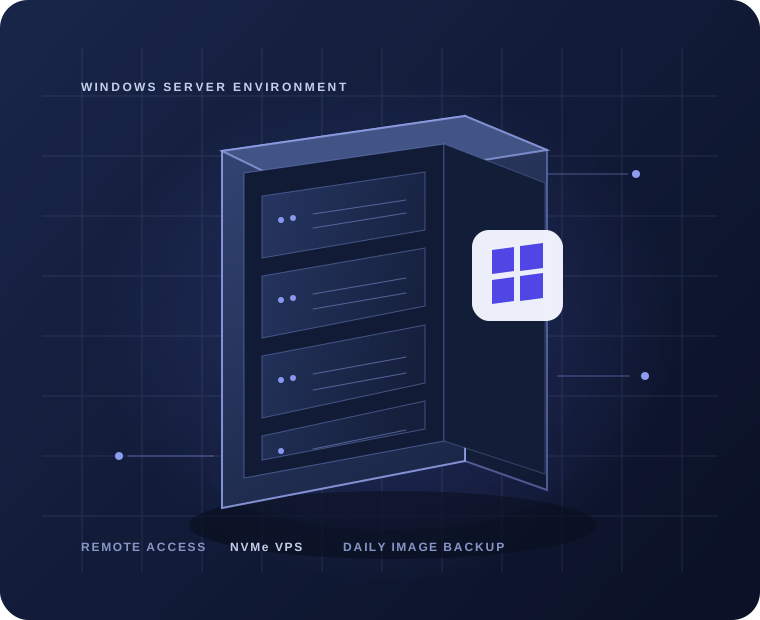
Illustration of a Windows VPS server with Remote Desktop access and daily image backup
Windows Server VPSRDP administrator access · NVMe storage · daily full-image backup
Windows VPS-2₹3,792 / month before GST₹37,920 / year with annual billing
4–8virtual CPU cores
8–24 GBmemory
75–200 GBNVMe storage
1–3 Gbpspublic bandwidth
01Windows VPS essentials

A Windows server with the access and resources to run your stack

Choose your Windows edition, connect over RDP and configure the applications you need. SiteHarbour provides initial setup assistance and a complementary full-image backup every day.

Full RDP and administrator access

Connect to your Windows Server and manage its desktop, roles, services and applications yourself. Compatible RDP clients are available for Windows, macOS, Linux, iOS and Android.

Windows Server licensing included

Choose an available Standard Desktop edition: 2025, 2022, 2019 or 2016. Edition and region are confirmed before setup.

Daily full virtual machine image

SiteHarbour includes a whole-server image backup every day at no extra charge, alongside the plan’s automatic daily backup.

Protected network, your server to manage

Network-level anti-DDoS protection is included. Windows Firewall, updates and application security remain under your administration.

02Windows VPS stack

From your Windows application to the server image

A clear view of what runs on the server, how you reach it and what is included with the plan.

  1. Your applications

    IIS, ASP.NET, .NET and compatible Windows software

    Install and administer the application stack you need.

  2. Windows Server

    Licensed Standard Desktop edition

    Available editions and location are confirmed before provisioning.

  3. Remote access

    Remote Desktop + administrator access

    Connect from a compatible Remote Desktop client and manage the server.

  4. Virtual resources

    4–8 vCores · 8–24 GB RAM · 75–200 GB NVMe

    Choose the resource tier for your Windows workload.

  5. Recovery

    Daily full virtual machine image

    SiteHarbour includes the full-image backup every day at no extra charge.

  • 1–3 Gbpspublic bandwidth
  • IPv4 + IPv6public IP connectivity
  • Anti-DDoSnetwork protection
03What you can run

Windows VPS for the work you need to get done

Use the server for compatible Windows workloads and install the software your project requires.

RDP desktop access

Use a remote Windows workspace with administrator access for your daily tools and applications.

ASP.NET, IIS and .NET

Host Windows web applications and internal portals using the stack you configure.

SQL and database workloads

Run compatible SQL Server or database-backed apps; additional database licences are separate.

Business applications

Use compatible ERP, CRM, accounting and other Windows business software.

Trading platforms

Run compatible MT4/MT5 software, bots and market tools on a Windows environment.

Development and staging

Create a separate Windows server for testing, demos, builds and staging.

04Choose the right environment

Windows shared hosting or Windows VPS?

A Windows VPS gives you a full server environment when a shared hosting account cannot provide the access or control your software needs.

Windows shared hosting

  • Server accessAccount-level access within a managed shared platform
  • SoftwareUse the runtimes and features supported by the hosting plan
  • AdministrationServer maintenance is managed as part of the shared hosting service
  • Best forWebsites that fit the included tools and account limits

Windows VPS

  • Server accessFull RDP administrator access to your Windows Server
  • SoftwareConfigure compatible IIS, .NET and Windows applications
  • ResourcesChoose a plan with 4–8 vCores, 8–24 GB RAM and NVMe
  • AdministrationUnmanaged after handover, with best-effort initial setup help
Compare Windows VPS plans
Windows VPS plans

Compare Windows VPS plans and prices

Choose the CPU, memory, storage and bandwidth that fit your Windows workload. Every listed price is before GST.

Windows VPS-2

Entry tier for a remote desktop, a lightweight Windows app or development server.

₹3,792 / month

Before GST

Annual billing
₹37,920 / year before GST · 2 months included

Order Windows VPS-2
  • vCPU 4 cores
  • Memory 8 GB
  • NVMe storage 75 GB
  • Public bandwidth 1 Gbps
  • Windows Server licence included
  • Full RDP + administrator access
  • NVMe storage and plan-specific bandwidth
  • Network anti-DDoS protection
  • Automatic daily backup of the previous 24 hours
  • Complimentary daily full-machine image backup
  • IPv4 and IPv6 connectivity
  • Best-effort initial setup help

Windows VPS-3

More headroom for IIS sites, business tools and several Windows services.

₹6,723 / month

Before GST

Annual billing
₹67,230 / year before GST · 2 months included

Order Windows VPS-3
  • vCPU 6 cores
  • Memory 12 GB
  • NVMe storage 100 GB
  • Public bandwidth 2 Gbps
  • Windows Server licence included
  • Full RDP + administrator access
  • NVMe storage and plan-specific bandwidth
  • Network anti-DDoS protection
  • Automatic daily backup of the previous 24 hours
  • Complimentary daily full-machine image backup
  • IPv4 and IPv6 connectivity
  • Best-effort initial setup help

Windows VPS-4

A larger resource tier for database-backed apps and busier Windows workloads.

₹11,840 / month

Before GST

Annual billing
₹1,18,400 / year before GST · 2 months included

Order Windows VPS-4
  • vCPU 8 cores
  • Memory 24 GB
  • NVMe storage 200 GB
  • Public bandwidth 3 Gbps
  • Windows Server licence included
  • Full RDP + administrator access
  • NVMe storage and plan-specific bandwidth
  • Network anti-DDoS protection
  • Automatic daily backup of the previous 24 hours
  • Complimentary daily full-machine image backup
  • IPv4 and IPv6 connectivity
  • Best-effort initial setup help

Unlimited traffic is available outside Asia-Pacific, subject to regional network terms. Applicable GST is calculated and added in the cart.

05Plan sizing

Which Windows VPS plan should you choose?

Start with the workload closest to yours. More users, background tasks or database activity can require additional resources.

Suggested starting plan

Windows VPS-2

A starting point for one user or a light Windows application.

vCores4
RAM8 GB
NVMe75 GB
Compare Windows VPS plans
Suggested starting plan

Windows VPS-2

Move to Windows VPS-3 when the application or concurrent workload needs more headroom.

vCores4
RAM8 GB
NVMe75 GB
Compare Windows VPS plans
Suggested starting plan

Windows VPS-2

4 vCores, 8 GB RAM and 75 GB NVMe to start.

vCores4
RAM8 GB
NVMe75 GB
Compare Windows VPS plans
Suggested starting plan

Windows VPS-3

12 GB RAM with more CPU and storage capacity than the entry tier.

vCores6
RAM12 GB
NVMe100 GB
Compare Windows VPS plans
Suggested starting plan

Windows VPS-3

Consider Windows VPS-4 for more sessions or heavier workloads.

vCores6
RAM12 GB
NVMe100 GB
Compare Windows VPS plans

Sizing guidance is indicative. Check the software vendor’s requirements and licence terms before choosing a plan.

06Setup and handover

Best-effort setup help. You remain in control.

These are unmanaged Windows VPS plans. We help with the agreed initial setup; ongoing administration belongs to you.

  1. Choose your plan and requested location

    Select the resource tier and tell us which Windows Server edition and region you prefer.

  2. We confirm availability

    We check the selected licence and location, then confirm the setup details with you.

  3. Initial setup assistance

    We provide best-effort help with the agreed initial configuration.

  4. Take over administration

    You receive RDP administrator access and manage the server, software and updates after handover.

SiteHarbour can help with

  • Initial setup based on your confirmed requirements
  • Best-effort help with hosting-related setup questions
  • Daily full-image backup included at no extra charge

You manage after handover

  • Windows updates, firewall rules and server security
  • Application installation, configuration and maintenance
  • Database and third-party software licences
07Under the hood

Windows VPS specifications and availability

Compare the platform details that affect your Windows workload, licence and recovery options.

CPU and memory
4–8 vCores · 8–24 GB RAM
Storage
75–200 GB NVMe by plan
Public bandwidth
1, 2 or 3 Gbps by plan
Network
Public IPv4 and IPv6 · network anti-DDoS protection
Windows licensing
Windows Server 2025, 2022, 2019 or 2016 Standard Desktop, subject to availability
Daily backups
Automatic previous-24-hour backup plus a complementary daily full-machine image from SiteHarbour
Regions
Selected European locations and Beauharnois, Canada; edition and region confirmed before setup
Traffic
Unlimited outside Asia-Pacific; regional traffic allowances may apply in Asia-Pacific

Microsoft SQL Server, Remote Desktop Services CALs and other third-party software licences are not included unless specifically listed in your order.

Windows VPS FAQs

Questions before you order

Need help selecting a resource tier or Windows edition? Contact us before checkout.

Ready to choose?

Find the Windows VPS size for your workload

Compare resources and monthly or annual billing. Applicable GST is added in the cart.